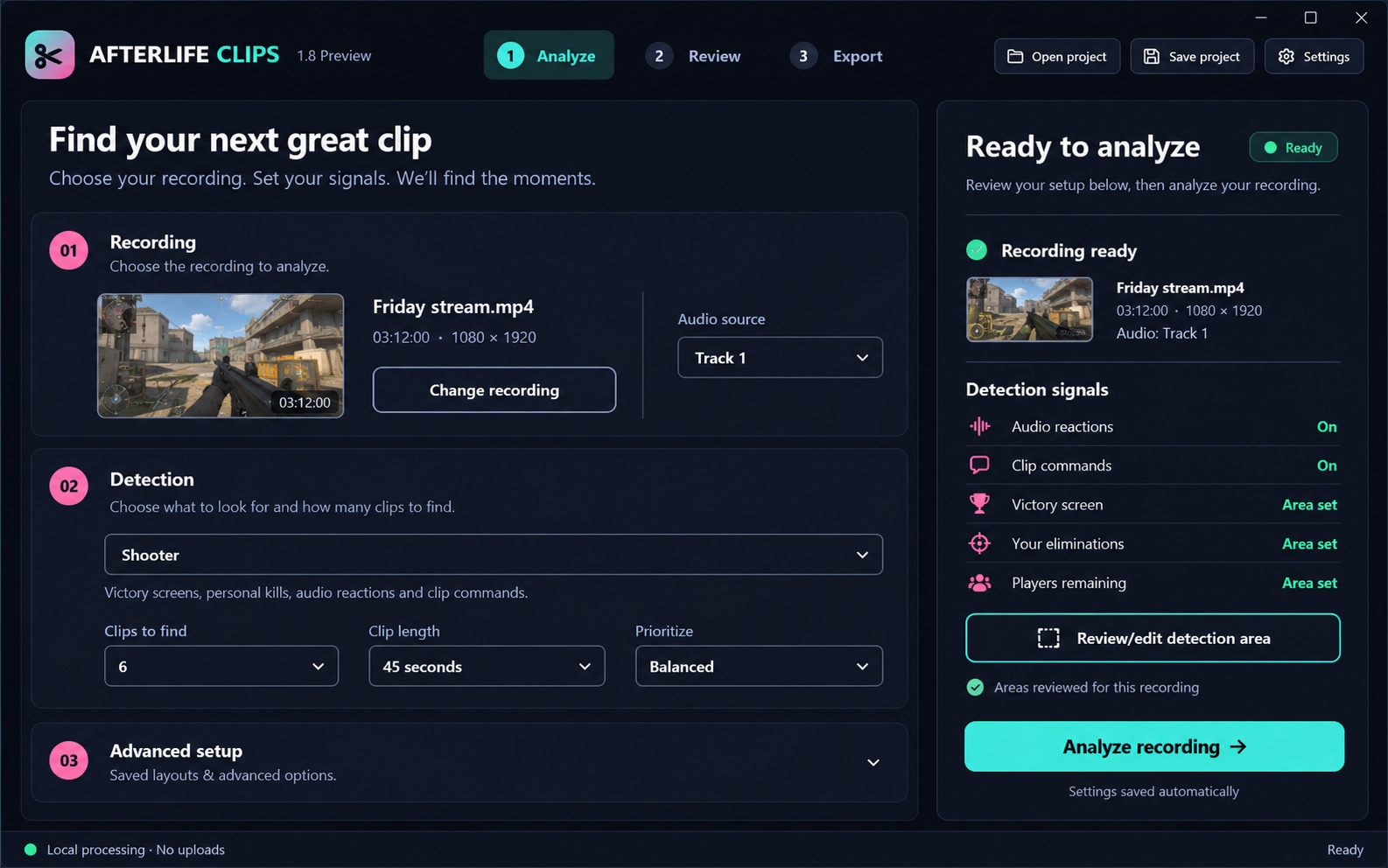
Analyze
Choose your recording and detection mode. Review saved detection areas before starting.
Turn long gaming sessions into short-form highlights. Afterlife Clips helps you find promising moments, review them in an editor, and export vertical or landscape videos ready for your next post.
Built for gaming creators. Currently being tested on Windows.
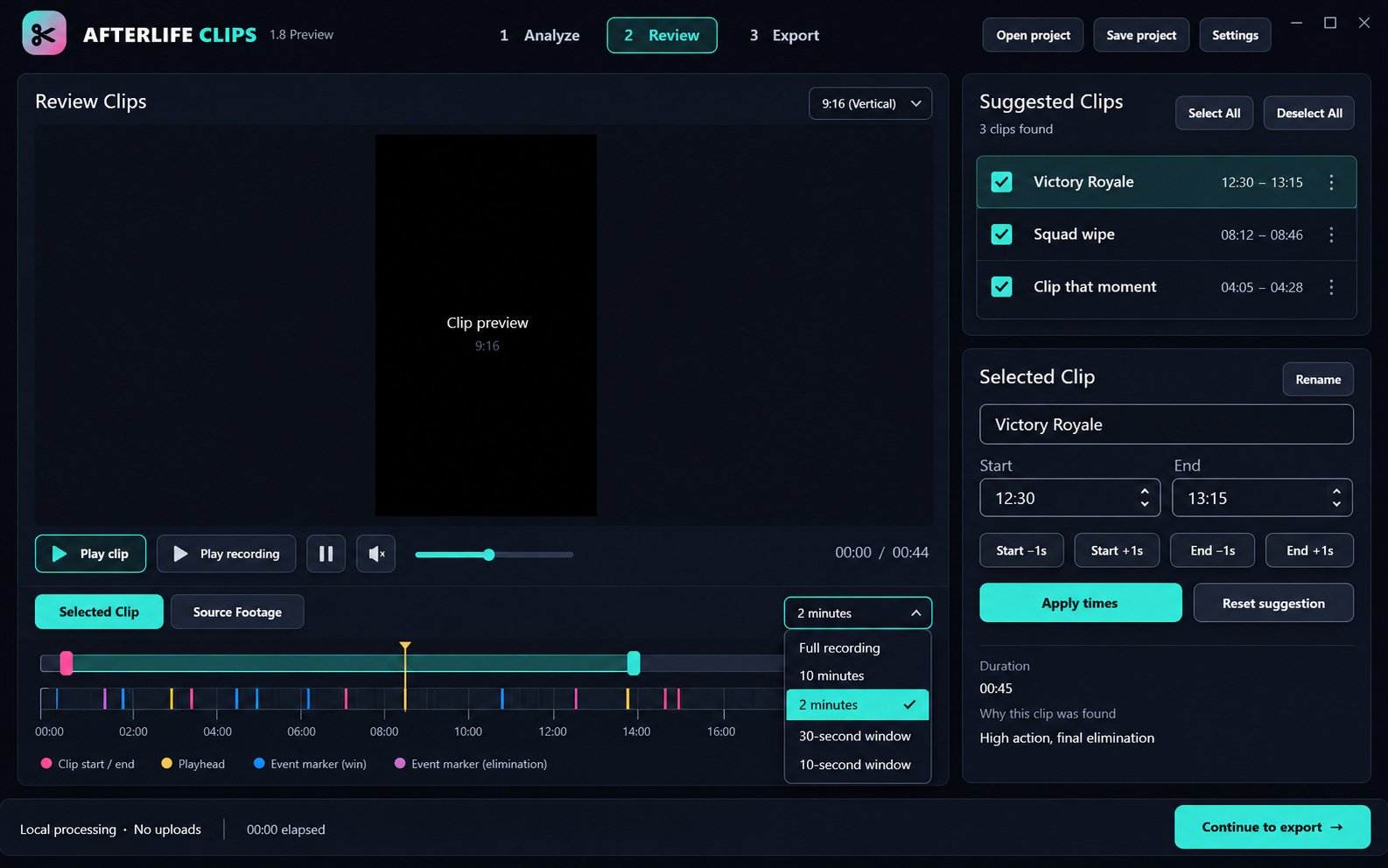
Rounded controls, readable menus, and a clear path from your recording to your selected clips.
Choose your recording and detection mode. Review saved detection areas before starting.
Listen, seek through the source, adjust clip boundaries, and select the moments to keep.
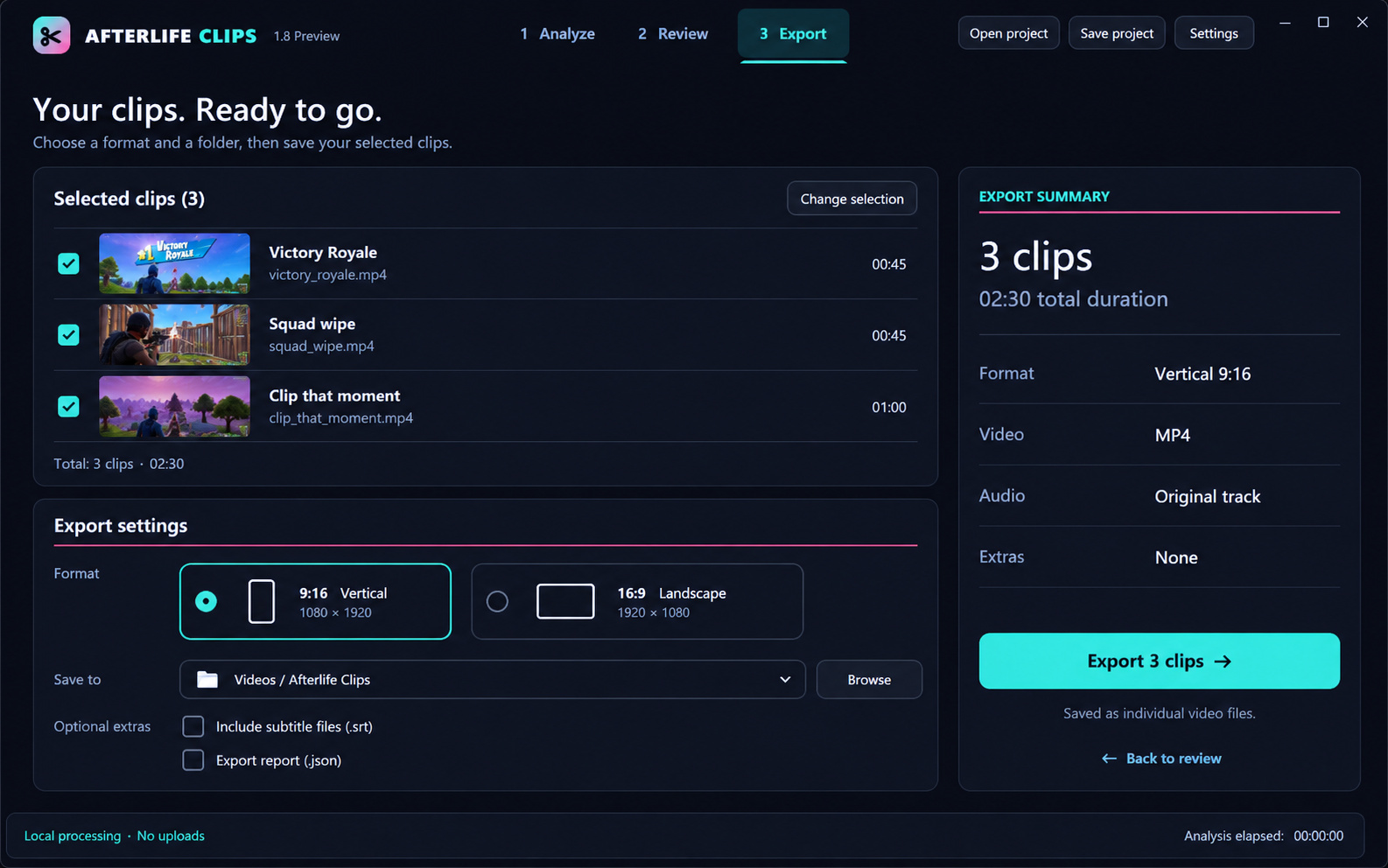
Check your selected clips, choose vertical or landscape output, and save standalone MP4 files.
Approved design previews, not exact application screenshots. Thumbnail imagery is illustrative. Windows testing is ongoing; Mac support is not available yet.
Spend less time hunting through footage and more time turning memorable gameplay into content.
Analyze recorded gameplay to surface moments worth a closer look, including supported victory and audio signals.
Preview suggested moments, adjust clip boundaries, and decide which clips to keep.
The 1.8 preview supports 9:16 vertical and 16:9 landscape MP4 exports for your publishing workflow.
Find significant audio reactions and spoken commands such as “clip that,” “film that,” and “capture that.”
Include optional subtitle files when transcription is enabled, or export only your selected MP4 clips.
Process recordings through a Windows desktop application rather than a browser upload workflow.
Open a recorded gaming session in Afterlife Clips.
Run analysis, preview suggested highlights, and fine-tune your selections.
Export selected moments as MP4 videos for your publishing workflow.
We're looking for gaming creators willing to test real recordings, report bugs, and tell us which highlights actually deserve to be clips.
Paid Beta is coming soon. Existing approved Alpha testers can sign in to retrieve their license and download the Windows app.
Local highlight analysis, clip review and editing, and MP4 export in the Windows desktop app.
Purchases are not open yet. At launch, the subscription will renew monthly until canceled. Applicable tax is calculated at checkout.
Already have access? Open My Account →Approved Alpha testers receive free lifetime access. This is an invitation benefit, not a lifetime plan for sale.
Get your license & download →Use the email associated with your approved Alpha license. Activation supports one active computer per license. No card or checkout is required for approved Alpha access.
Apply for Alpha testing →Approved Alpha testers can download the Windows app from My Account. Paid Beta is planned at $6.99 USD per month, but purchases are not open yet.
The current app supports Windows. Mac support is on the roadmap and is not available in this build.
You export clips and publish them using your preferred platform workflow. Automatic publishing is not included.
Yes. Approved Alpha testers receive free lifetime access. Paid Beta will use a separate monthly subscription. Alpha access requires approval; signing in alone does not create a free license.
No. Highlight detection is an assistive tool, and the editor lets you review and adjust its suggestions.
Once paid Beta is available, sign in to My Account with your purchase email and choose Manage Subscription on your monthly license card. Cancellation stops future renewals, and access continues through the paid billing period.
Open My Account and request an email sign-in link. Active license holders can reveal their key and download the installer there. Approved Alpha testers should use their invited email.
Close Afterlife Clips on your previous computer, sign in to My Account, and choose Release desktop on your license. You can then activate another installation with the same key. Existing offline authorization on the previous computer may remain valid until its original expiry.
Recording analysis and clip exports run locally on your computer. Internet access is needed for initial setup and online license verification. Processing time depends on your hardware, recording, and selected detection options.
Email mail@afterlifex52.com with your app version and a description of the issue. Keep license keys and sign-in links out of support messages.